
20 Oct
On-page SEO techniques
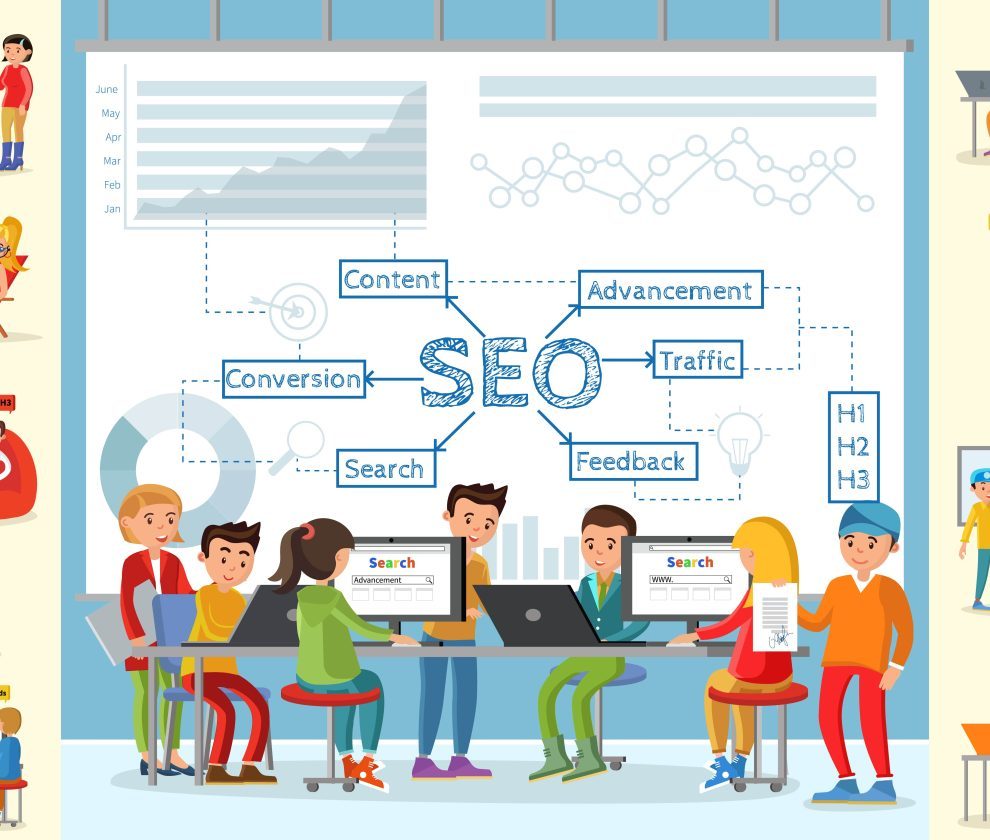
on-page SEO techniques to boost rankings, optimize website content, improve user experience, and increase organic traffic.
On-page SEO techniques
On-page SEO techniques that boost rankings include optimizing title tags, writing descriptive meta descriptions, structuring content with clear headings, placing keywords naturally, improving internal linking, and optimizing images and page speed. These practices help search engines understand your content and improve your visibility in both traditional search results and AI-generated answers.
Search engines have gotten smarter, but the fundamentals of on-page SEO haven’t changed much. What has changed is how much weight these fundamentals now carry. The same techniques that help your pages rank on Google — descriptive title tags, logical heading structures, naturally placed keywords — also determine whether your content gets surfaced in AI Overviews, ChatGPT responses, and other generative search tools.
This creates a unique opportunity. Instead of juggling separate strategies for traditional SEO and AI visibility, you can build a single, strong on-page foundation that serves both. This post walks through the on-page SEO techniques that move the needle most, why they work, and how to apply them without overcomplicating your content strategy.
What Is On-Page SEO and Why Does It Matter?
On-page SEO refers to the optimizations you make directly on your website — your content, HTML structure, and page elements — to improve search visibility. This is distinct from off-page SEO (like backlinks) and technical SEO (like site speed and crawlability), though the lines between these categories often blur.
On-page SEO matters because it gives search engines the clearest signals about what your page is about and who it serves. A well-optimized page tells Google (and increasingly, AI models like those powering Perplexity or Google’s AI Overviews) exactly what question it answers and why it deserves to be surfaced. Without these signals, even genuinely useful content can get buried.
How Do Title Tags Impact Search Rankings?
Your title tag is one of the first things both users and search engines see. It appears as the clickable headline in search results and plays a significant role in how pages are ranked and clicked.
Effective title tags share a few traits:
- They include the primary keyword near the beginning. Search engines weigh early keyword placement more heavily than keywords buried at the end.
- They stay under 60 characters. Longer titles get truncated in search results, which can cut off important context.
- They’re specific, not generic. “SEO Tips” tells a reader much less than “7 On-Page SEO Techniques to Improve Rankings in 2025.”
- They match search intent: if someone searches “how to,” your title should reflect a how-to format, not a product pitch.
Choose a title that reflects what the page actually delivers. If someone searches for “on-page SEO techniques” and lands on a vague overview instead of specific tactics, they’ll bounce — and that bounce rate sends a negative signal back to search engines.
Why Do Meta Descriptions Still Matter for SEO?
Meta descriptions don’t directly influence rankings the way title tags and content do, but they significantly affect click-through rate (CTR), which is an indirect ranking factor. A compelling meta description acts like ad copy for your organic listing.
Keep meta descriptions under 155 characters, include your target keyword naturally, and write them to answer a specific question or solve a specific problem. Avoid generic descriptions like “Learn more about SEO on our blog” — they waste valuable space that could be driving clicks.
How Should You Structure Content with Headings for SEO?
Heading structure (H1, H2, H3) does double duty: it organizes content for human readers and gives search engines a clear outline of your page’s topics.
A few best practices:
- Use one H1 per page. This should contain your primary keyword and clearly state the page’s topic.
- Use H2s to break up major sections. Each H2 should represent a distinct subtopic, not just a stylistic break.
- Use H3s for supporting details within an H2 section. This creates a logical hierarchy that’s easy to scan.
- Phrase headings as specific questions when possible. Headings like “What are the best keyword research tools for beginners?” perform well because they mirror how people actually search — including how they phrase queries to AI tools like ChatGPT.
Clear heading structures help search engines extract featured snippets, and they help AI systems pull accurate, self-contained answers from your content. The same heading that earns you a featured snippet in Google can also get your content cited in an AI-generated response.
Where Should You Place Keywords for Maximum SEO Impact?
Keyword placement remains one of the most misunderstood aspects of on-page SEO. The goal isn’t to stuff keywords throughout the page — that practice is outdated and can actively hurt your rankings. Instead, focus on strategic placement in high-value locations:
- The title tag
- The H1 heading
- The first 100 words of the content
- At least one H2 or H3 subheading
- The meta description
- Image alt text, where relevant
Beyond exact-match placement, search engines also reward topical depth. Using related terms and synonyms — what’s often called semantic keyword usage — signals to search engines that your content comprehensively covers a topic rather than just targeting a single phrase.
How Does Internal Linking Improve On-Page SEO?
Internal links connect related pages on your site, helping search engines understand your site architecture and distribute authority (“link equity”) across your pages. They also keep readers engaged longer by guiding them to related content.
On-page SEO techniques
on-page SEO techniques to boost rankings, optimize website content, improve user experience, and increase organic traffic.
On-page SEO techniques
Effective internal linking follows a few principles:
- Use descriptive anchor text. “Click here” tells search engines nothing. “Learn more about keyword research techniques” tells them exactly what the linked page covers.
- Link to relevant, high-value pages. Don’t link just to hit a quota — link where it genuinely helps the reader.
- Avoid over-linking. Too many internal links in a single piece of content can dilute their value and overwhelm readers.
A well-connected internal linking structure also makes it easier for AI crawlers to understand how your content relates across a topic cluster, which can improve the odds that multiple pages from your site get referenced in AI-generated answers.
What Role Does Image Optimization Play in SEO?
Images affect both user experience and SEO performance. Unoptimized images slow down page load times, which hurts rankings and frustrates visitors. Optimizing images involves:
- Compressing file sizes without sacrificing visible quality, using formats like WebP where supported.
- Writing descriptive alt text that includes relevant keywords naturally — this also improves accessibility for visually impaired users.
- Using descriptive file names (e.g., “on-page-seo-checklist.png” instead of “IMG4821.png”).
- Specifying image dimensions in your HTML to prevent layout shifts that hurt Core Web Vitals scores.
These seem like small details, but collectively they can meaningfully affect both page speed and ranking performance.
Why Does Page Speed Affect On-Page SEO Rankings?
Page speed is both a direct ranking factor and a major driver of user experience. Google’s Core Web Vitals — metrics like Largest Contentful Paint (LCP), First Input Delay (FID), and Cumulative Layout Shift (CLS) — measure how quickly and smoothly a page loads and responds to user interaction.
Slow pages lead to higher bounce rates, which signals to search engines that users aren’t finding what they need. Choose page speed improvements based on your specific bottlenecks: if images are the problem, prioritize compression; if it’s render-blocking scripts, prioritize code optimization. There’s no single fix that works for every site, so start by running your pages through a tool like Google PageSpeed Insights to identify where the biggest gains are available.
How Does On-Page SEO Connect to AI Search Visibility?
This is where on-page SEO and AI visibility converge. AI-generated answers — whether from Google’s AI Overviews, ChatGPT, or Perplexity — rely on the same structural signals that traditional search engines use: clear titles, logical headings, well-organized content, and specific, factual statements.
That means the work you’re already doing to drive SEO results — writing descriptive title tags, using clear headings, placing keywords naturally — directly improves your chances of being surfaced in AI-generated responses. The two goals aren’t competing priorities; they’re the same priority viewed through two different lenses.
To strengthen AI visibility specifically, consider these additions to your on-page strategy:
- Write self-contained, quotable sentences. Avoid vague pronouns; name the subject directly so a sentence makes sense even when extracted out of context.
- Lead with direct answers. Answer the core question of a section in the first sentence or two, then elaborate.
- Prioritize specific facts over general claims. AI systems tend to favor content with concrete, verifiable details.
Putting On-Page SEO Techniques into Practice
On-page SEO isn’t about chasing algorithm updates or gaming a system. It’s about making your content as clear, useful, and well-organized as possible — for human readers and for the systems that help those readers find you.
Start by auditing your highest-traffic pages against the techniques above: Are your title tags specific and keyword-rich? Do your headings follow a logical structure? Is your content answering the questions people are actually asking? Small, consistent improvements across these areas compound over time, strengthening both your traditional search rankings and your visibility in AI-generated results.
The sites that will perform best going forward aren’t the ones chasing the latest AI SEO trend — they’re the ones that have always prioritized clear, well-structured, genuinely useful content. On-page SEO fundamentals got you there before, and they’ll keep you there now.
Frequently Asked Questions
How long does it take to see results from on-page SEO changes?
Most on-page SEO changes take anywhere from a few weeks to a few months to show measurable ranking improvements, depending on how often search engines crawl your site and how competitive your target keywords are.
Do I need to optimize every page on my site for on-page SEO?
Prioritize your highest-traffic and highest-potential pages first, especially those targeting commercial or high-intent keywords. You can expand to lower-priority pages over time.
What’s the difference between on-page SEO and technical SEO?
On-page SEO focuses on content elements like title tags, headings, and keyword placement, while technical SEO covers site infrastructure like crawlability, indexing, and security (HTTPS).
Can on-page SEO alone get my page to rank on the first page of Google?
On-page SEO is essential, but it typically works alongside off-page factors like backlinks and technical SEO elements like site speed. Strong on-page optimization maximizes your chances, but it’s rarely the only factor in ranking on page one.
Is keyword density still an important ranking factor?
No. Modern search engines prioritize natural, semantically rich content over exact keyword density targets. Focus on comprehensive topic coverage rather than hitting a specific keyword percentage.
On-page SEO techniques
on-page SEO techniques to boost rankings, optimize website content, improve user experience, and increase organic traffic.